




Last updated: Nov. 13, 2026
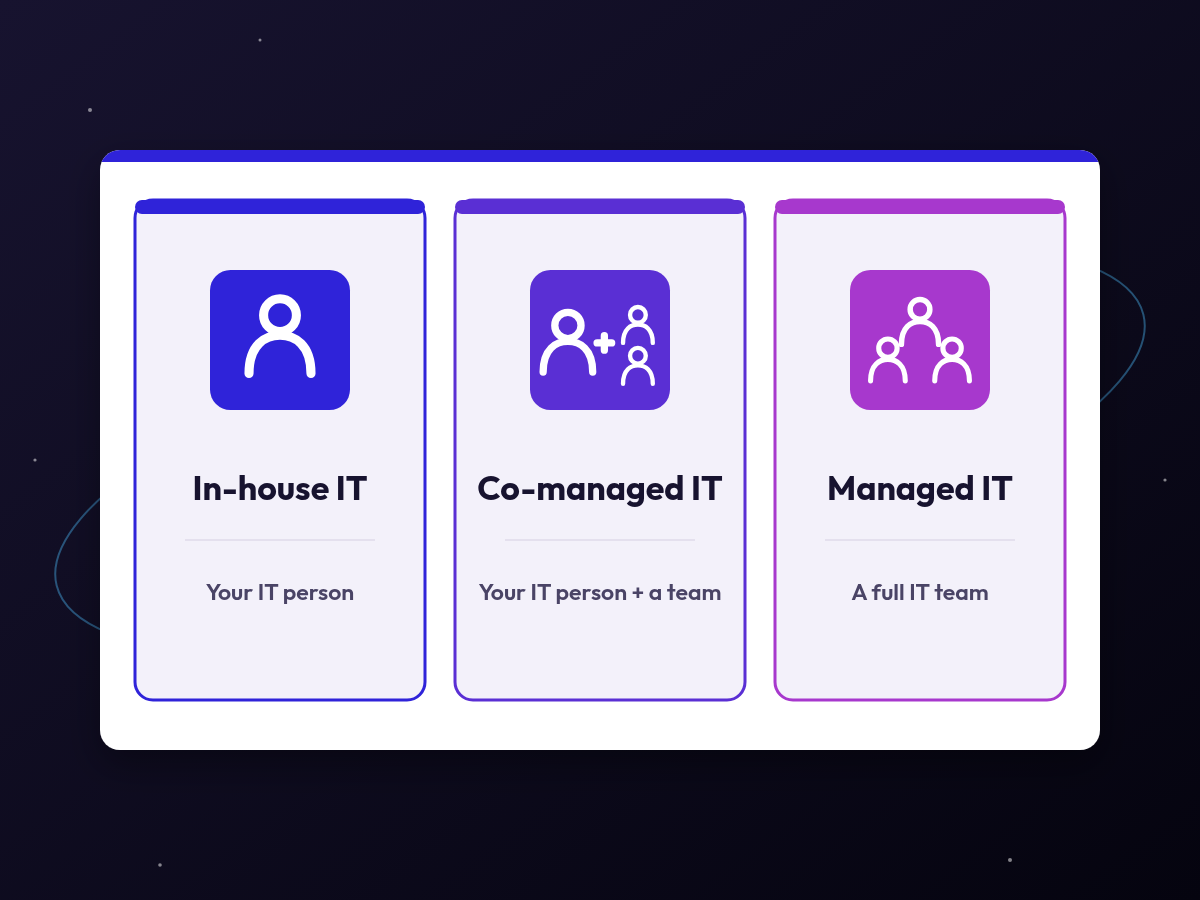
For most Utah small businesses, managed IT covers more ground than one in-house hire: a full team, 24/7 monitoring and layered security for a flat monthly fee. If you need someone on site all day, keep that person and add a provider. Galaxy IT, a Utah-based managed IT services company, offers co-managed IT for that setup.
Many small businesses in Salt Lake City, Provo and Ogden face this choice at some point. The office manager has been handling passwords and printers, or one IT person has carried everything for years, and the business has outgrown that setup. Before you compare a salary with a monthly fee, decide what you need covered: who fixes problems during the day, who watches your systems after hours and who holds the admin passwords.
What does an in-house IT person do that a managed provider doesn’t?
An in-house IT person knows which program can’t go down at month-end and which staff member always needs help with the scanner. That local knowledge is hard to replace. An in-house person can also walk to a desk in a minute, sit in on planning meetings and learn the software your business depends on day to day.
An in-house IT person adds the most value when:
- Your business runs specialized equipment or software that needs someone on site every day
- You have enough daily IT work to keep a full-time person busy
- You need IT closely tied to internal projects, such as building or maintaining your own software
What can a managed IT provider do that a single IT employee can’t?
One person, however skilled, can be in only one place, awake for part of the day and expert in a few areas. A managed IT provider spreads that work across a team.
- Coverage when your person is out. Vacations and sick days don’t leave the business without help.
- Monitoring that doesn’t clock out. Galaxy IT includes 24/7 monitoring in every managed IT plan, so problems can be spotted outside business hours.
- Specialists when you need them. Security, networking, Microsoft 365, backups and planning each take their own expertise. A team has people who focus on each.
- Security built in. Every Galaxy IT managed IT plan includes layered cybersecurity and immutable backups that ransomware can’t delete.
- Planning help. IT strategy planning keeps upgrades and budgets from becoming surprises.
Galaxy IT maintains a 5-minute average response time with an entirely U.S.-based team located in Utah.
What happens if your only IT person quits?
If one employee holds every admin password and is the only person who knows how the network is set up, the day they leave can lock the business out of its own email, firewall and backups. These four steps remove most of that risk.
Before anyone leaves, make sure:
- Admin passwords for email, the firewall, servers and key software are stored where an owner can reach them
- The company, not one employee, owns your domain name, your backup service and your Microsoft 365 or Google Workspace account
- Your network, devices and vendors are written down somewhere other than one person’s head
- Someone else knows how to restore from backup
The Cybersecurity and Infrastructure Security Agency (CISA) notes that outsourcing IT does not absolve an organization from risk management responsibilities. The same is true of relying on one employee. Either way, the owner should know where the keys are.
Is it cheaper to hire an in-house IT person or outsource?
It depends on what you count. One hire can look cheaper when you set a salary next to a monthly fee, but a fair comparison adds up the full yearly cost of each option, including benefits, tools and the coverage you need when that person is out.
For an in-house hire, add up:
- Salary, payroll taxes and benefits
- Recruiting and training time
- Security and monitoring tools the person will need
- Backup coverage for vacations, sick days and after hours
- The cost of replacing them if they leave
For a managed IT plan, ask what’s included:
- Help desk, remote support and on-site visits
- Security tools, monitoring and backups
- Projects, new-employee setup and offboarding
- After-hours help
Galaxy IT uses flat monthly pricing, which makes the managed side of the comparison easier to plan. Lay both lists side by side for your own business, and the answer usually becomes clear. If you’re comparing proposals, our post on break-fix vs. managed IT explains how pay-as-you-go support differs from a monthly plan.
At Galaxy IT, we wouldn’t advise a small business to rely on a single in-house IT hire alone, even one with a very complex environment.
What is co-managed IT, and when does it make sense?
Co-managed IT is a middle option: You keep your in-house IT person, and a managed provider works alongside them. Your person stays the local expert. The provider adds the tools, coverage and specialists one person can’t supply alone.
Co-managed IT often fits when:
- Your IT person is overloaded and big projects keep slipping
- You need coverage for vacations, sick days and busy weeks
- You want stronger security without building it yourself
- You’re growing and not ready to replace a trusted employee
Galaxy IT offers co-managed IT for Utah businesses.
The key is writing down who does what. CISA advises that contracts spell out whether the provider or the customer owns specific responsibilities, such as hardening, detection and incident response. In a co-managed setup, that list keeps tasks from falling between two teams. Our post on how outsourced IT can relieve an in-house IT team covers more about this kind of partnership.
When should a business that handles IT itself make the switch?
Many small businesses start with an owner or office manager handling IT on the side. That setup works while the business is small. Once you see any of these signs, it’s time to bring in outside help:
- IT problems are taking time away from running the business
- Nobody is sure whether the backups work or who has admin access
- Staff wait hours or days for fixes
- You’ve had a security scare, or a client or insurer is asking about your security
- You’re hiring, adding a location or moving offices
How does the handoff work if we move from in-house to managed IT?
A move from in-house to managed IT can happen gradually. The provider first documents your environment and installs its monitoring and security tools. Then it takes over pieces of the work while your current IT person is still there. That overlap makes it easier to capture what they know.
Galaxy IT can take over gradually from your in-house IT person, so the move doesn’t have to happen all at once.
How does Galaxy IT support Utah small businesses?
Galaxy IT is a Utah-based managed IT and cybersecurity company with offices in Murray, Utah, serving businesses across Utah, including the Wasatch Front. Every managed IT plan includes layered cybersecurity, 24/7 monitoring and immutable backups that ransomware can’t delete, with flat monthly pricing. Our team provides remote support and on-site IT support across Utah, and we work as a full IT team or alongside the IT person you already have.
Frequently asked questions
Is a full managed IT plan worth it if our IT needs are basic?
Not always. If you only need occasional help, pay-as-you-go support can work. The tradeoff is that nobody is monitoring, patching or checking backups between calls, so a failed backup or a missed update usually comes to light only after something breaks.
Is outsourcing IT worth it for a small business in Utah?
For many Utah small businesses, yes. A managed IT provider gives you a support team plus monitoring and security tools that would be hard to build around one hire. Before you decide, compare the full yearly cost of each option, from salary and benefits to the tools and vacation coverage a single hire would need.
Can we keep our IT person and still use a managed provider?
Yes. That’s co-managed IT. Your IT person keeps the local knowledge and daily relationships, and the managed provider adds coverage, tools and specialists. Galaxy IT offers co-managed IT for Utah businesses. Put the split of duties in writing so nothing falls between the two teams.
What’s the biggest risk of relying on one IT employee?
The biggest risk is losing access to your own systems when that employee leaves or is out sick. Make sure that the business owns its admin accounts, that an owner can reach the passwords and that the network is documented, whichever option you choose.
Not sure which option fits?
Start with a free IT assessment. It’s an engineer-led look at your IT and security posture, and it’s yours to keep whether or not we end up working together.
